The website approval process: how to get a sign-off that holds up
A 'looks good' email isn't an approval. Here is what a real website sign-off records, who should give it, and how to make approving page by page easy for clients.
Final Fold
14 min read

The project was finished. The client had replied to the final staging link with three words: "Looks good, thanks!" So the site went live, the invoice went out, and everyone moved on.
Two weeks later, a message arrives from someone you've never spoken to. They're the client's marketing director, back from leave, and they don't like the homepage. They never approved it. As far as they're concerned, the project isn't finished, and the final invoice shouldn't be paid until it is.
Nobody did anything wrong. The person who wrote "looks good" meant it. But "looks good" isn't an approval. It doesn't say who has the authority to approve, which pages and which version they looked at, or that this is the final word. When a second opinion arrives, there's nothing to point to.
This guide is about the approval process that prevents that week: who approves, what an approval should record, how to approve page by page, how to close the project with a final sign-off, and what to do when something changes afterwards.
The short answer
A website approval holds up when the right person approves a specific version of each page, by name, with a date, in a record that can't be quietly changed. Build that into the project from the kickoff, not the last week.
- Name one approval owner at kickoff. Everyone else on the client's side can review, but only one person approves.
- Approve page by page as each one is ready, instead of everything at the end.
- Record who, what, when for every approval: the person, the page and version, and the date.
- Close with a final project approval, signed by name, once every page is approved.
- Keep the record fixed. If something changes after approval, mark the approval as superseded and approve again, but never rewrite the history.
- Use the approval to launch and invoice, so the sign-off has a clear purpose for both sides.
What goes wrong without a real sign-off?
Without a clear sign-off, the end of a website project has no edge. Three problems tend to follow.
Launches get delayed. If nobody has formally approved the site, there's always one more person to check with. The launch date slides while you wait for a meeting that keeps moving.
Changes keep arriving after launch. Without a moment where the client said "this is done", every new idea feels like it belongs to the original project. You end up making post-launch changes for free because there's no line between finishing and maintaining.
The final invoice becomes a negotiation. When payment is tied to "completion", and completion was never recorded, the client can reasonably say they're not finished. Now you're discussing the project's scope in the worst possible context: money that's already overdue.
A real approval doesn't make clients less flexible. It makes the project's state clear. Changes are still possible; they're just recognised as changes.
An approval is the moment the project's state becomes clear. Without it, the project never quite ends.
What makes a website approval hold up?
An approval holds up when it records four things: who approved, exactly what they approved, when, and a record that can't be rewritten afterwards.
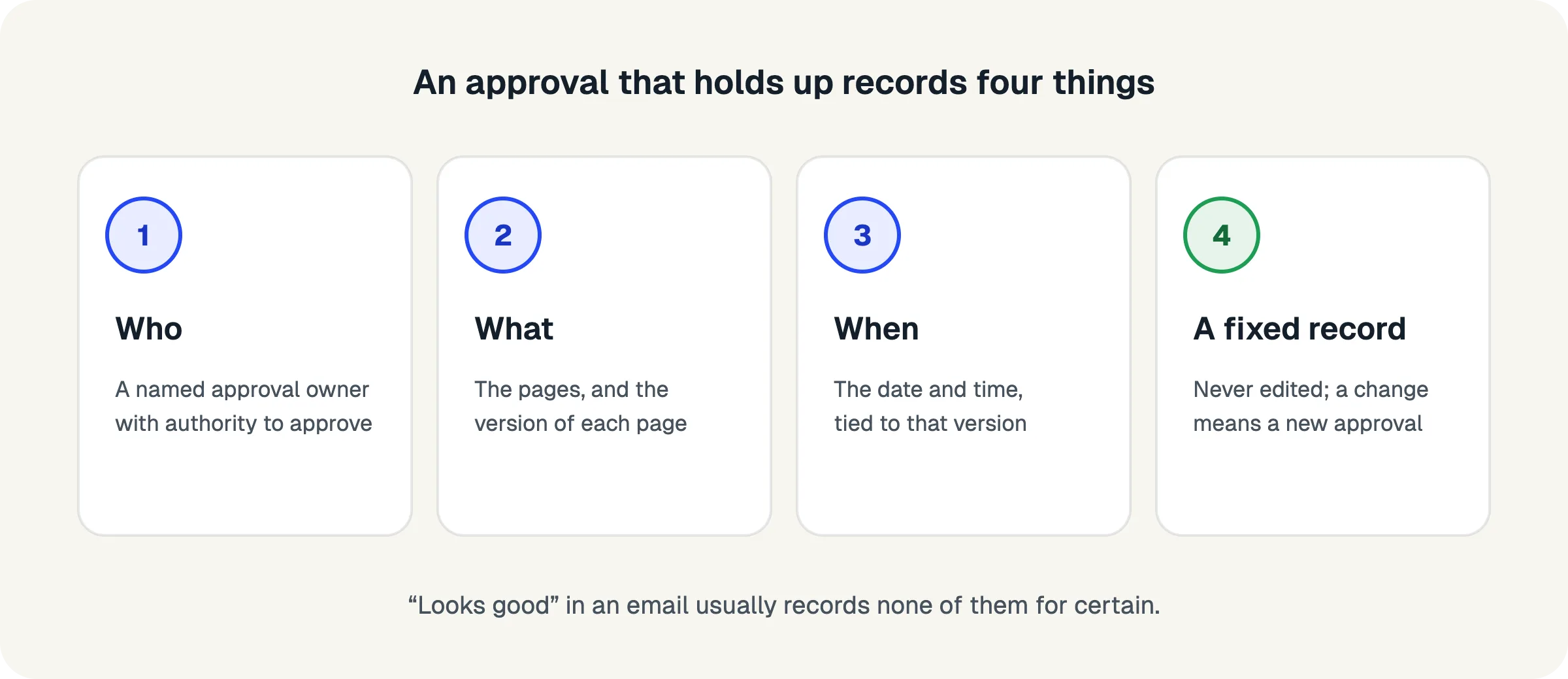
Think of each one as a question someone might ask months later:
- Who approved it? A named person with the authority to approve, not "the client" or "the team". If the person's authority could be questioned, the approval can be too.
- What exactly did they approve? Which pages, and which version of each page. "The website" is too vague when the site changed six times during the project.
- When did they approve it? A date (and ideally a time) that ties the approval to a specific state of the work.
- Can the record change? An approval that can be edited, deleted or quietly replaced isn't worth much. The record should be fixed once given. If the work changes later, a new approval is needed, and the old one stays in the history.
An email thread can carry some of this, but rarely all of it. "Looks good" in reply to a link doesn't say which version was on the other end of that link, and the thread is easy to lose, forward or misread.
Who, what, when, and a record that stays put: that's an approval.
Who should approve a website: the approval owner
One person on the client's side should hold the authority to approve. Name them at the kickoff and write it into the project plan.
Most client teams have several people with opinions: the owner, a marketing lead, a colleague who writes the content, someone who "just wants to have a look". All of them can be valuable reviewers. But if all of them can approve, none of them really can, because any approval can be overruled by the next person.
So separate the two roles:
- Reviewers look at the pages, leave feedback and discuss. There can be as many as the client wants.
- The approval owner gathers the reviewers' views, makes the decision and approves. There is one.
At the kickoff, ask the question directly: "Who will approve each page and the final website? We'll make sure they see everything, and their approval is what we'll work from." Write the answer down. If the client hesitates, that's useful information: it's much better to discover an unclear decision-maker on day one than on launch day.
It also helps to agree what happens if the approval owner is away. A named backup avoids the project stalling for two weeks of holiday.
Many reviewers, one approver. Decide who that is before any design is shown.
Should clients approve page by page or all at once?
Page by page. Approving each page as it's ready keeps momentum, spreads the decisions out and makes the final sign-off a formality instead of a cliff.
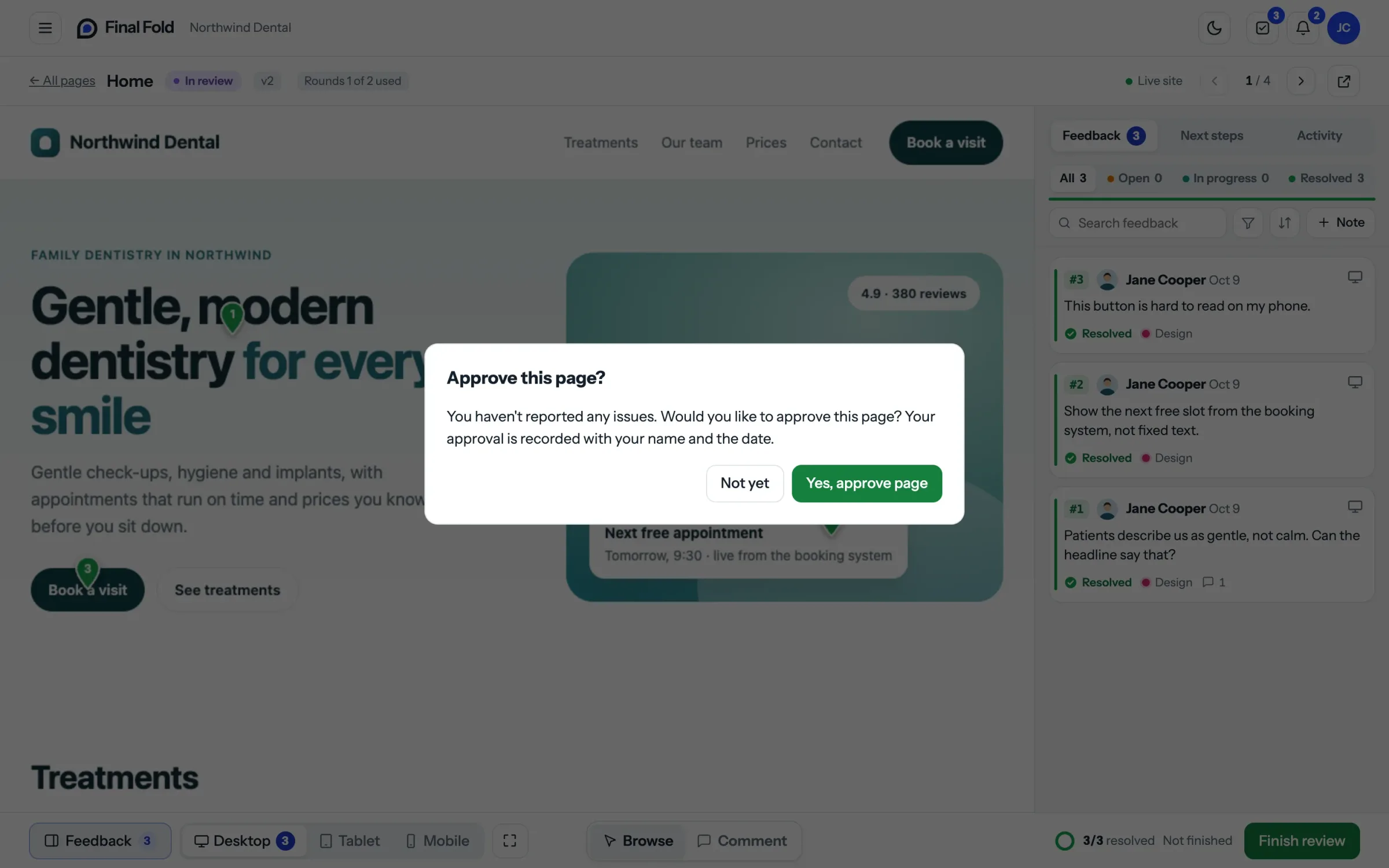
Approving everything at the end sounds tidy, but it creates a bottleneck. The client faces ten pages at once, feels the weight of a big decision and postpones it. Small doubts about one page delay the whole project. And by the time the approval comes, nobody remembers which feedback was resolved on which page.
Page-by-page approval works differently:
- Each page moves on its own. The about page can be approved while the homepage is still in a second round.
- Decisions are smaller. "Is this page ready?" is easier to answer than "Is the whole website ready?"
- Progress is visible. Both sides can see that seven of ten pages are approved, and exactly which three aren't.
- The final approval is easy. When every page is already approved, signing off the project confirms what's already been decided.
The one thing to watch is shared elements. A header or footer that appears on every page should be agreed early, ideally with the first page, so it doesn't reopen every approval later.
Small decisions, made one at a time, add up to a finished website.
What should a website sign-off document include?
A website sign-off document records the final approval of the whole project. It should name the project, list every page approved with its version and date, and carry the approval owner's name, signature and the date of sign-off.
You don't need legal language to make it useful. What makes a sign-off document hold up is that it's specific. Here's a structure you can use:
- Project details: the project name, the client company and your agency.
- The approval owner: their name and role, and the fact that they have the authority to approve for the client.
- The pages approved: each page, with the version approved and the date it was approved.
- The statement: one clear sentence, such as "I approve the website described above as complete and ready for launch."
- The signature: the approval owner's name, typed or signed, and the date.
- A reference: a unique number for this approval, so it can be referred to later without confusion.
The document should be fixed once issued: a PDF that is generated at the moment of approval and not edited afterwards. If the project changes later, a new approval produces a new document. The old one stays as a record of what was approved at the time.
Is a typed name enough as a signature?
For most website projects, a typed name given deliberately as an approval, recorded with the date, is a clear and practical form of sign-off. What matters is that the person intended to approve, that it's recorded against the specific work, and that the record can't be quietly changed. If a client's industry requires a specific kind of electronic signature, follow their process; for everyday agency work, clarity and a fixed record matter more than ceremony.
A sign-off document is a summary of decisions already made, signed so nobody has to remember them.
What happens when something changes after approval?
When an approved page needs to change, the earlier approval is marked as superseded, the page goes back into review, and a new approval is needed when it's ready. The history is never rewritten.
Change after approval is normal. New content arrives, a legal review requests different wording, the client's priorities shift. The goal isn't to prevent change; it's to keep the record honest when it happens.
Here's the pattern that keeps things clear:
- The client asks to reopen one or more approved pages, with a reason. "Our lawyers need the terms page reworded" or "We've added a new service to the pricing page."
- The earlier approval is kept and marked as superseded. It still shows who approved what and when; it's just no longer current.
- The pages go back into review, follow the normal rounds and are approved again.
- If the whole project had been signed off, the final approval is superseded too, and a new final sign-off is given once the reopened pages are approved.
This is also where your reopening policy from the proposal comes in: how many reopenings are included, and what happens beyond that. A reason with each reopening helps both sides decide whether the change is worth it.
Approvals can be replaced. They should never be erased.
How do you use the approval to launch, hand over and invoice?
Tie the final approval to the next steps in your proposal: launch happens after sign-off, the final invoice is issued on sign-off, and the handover includes the approval record.
When the approval has a clear purpose, clients understand why it matters. It isn't paperwork for its own sake; it's the step that gets their site live.
- Launch. "We'll launch within two working days of your final approval." The client wants the site live, so they're motivated to approve.
- Invoice. "The final payment is due on final approval." This replaces vague words like "completion" with a moment both sides can see.
- Handover. Include the approval document in the handover pack, alongside logins and guides. It becomes part of the project's record.
This also protects the client. If a new person joins their team next year and asks why the homepage looks the way it does, the approval record answers the question.
When approval unlocks the launch, clients don't need reminding to give it.
How do you make approving easy for the client?
Make approval a single, clear action on the page itself, right after the client has reviewed it, with nothing left open. The easier the action, the faster the approvals.
Clients delay approvals when they're unsure: unsure whether their colleagues have had their say, unsure whether all the feedback was handled, unsure what approving commits them to. You can remove most of that uncertainty:
- Show what's left. If any feedback on the page is still open, the client should see it before approving.
- Explain what approval means. One sentence: approving says this page is ready; changes after this are reopenings.
- Keep it on the page. Approving in the same place they reviewed avoids "which version was that?"
- Remind, politely. A short reminder after a few days of waiting is a service, not pressure.
If approving is easy and clear, clients approve.
Common approval mistakes, and how to avoid them
Most approval problems come from a handful of habits that feel efficient at the time. Here are the ones that cause the most trouble later.
Treating silence as approval. "If we don't hear back by Friday, we'll assume it's approved" sounds practical, but it records nothing. Nobody approved, so nobody is accountable for the decision. If a client is slow, send a reminder and make approving easier; don't approve on their behalf.
Asking the wrong person. The colleague who answers fastest isn't always the one with authority. If an approval comes from someone other than the agreed approval owner, thank them and ask the approval owner to confirm. It takes a day; skipping it can cost weeks.
Approving a link, not a version. A staging link shows whatever is there today. If you change the page after the client approved it, the approval no longer matches what they see. Record the version that was approved, and treat any later change as a reopening.
Leaving open feedback behind the approval. If a page is approved while three notes are still unresolved, nobody knows whether those notes were dropped, accepted or forgotten. Resolve them, or agree explicitly that they move to a later phase, before the page is approved.
Saving everything for the end. A single approval for the whole site at the end of the project is the slowest and riskiest approach. It turns a series of small decisions into one large one that's easy to postpone.
Editing the record. Changing an approval after the fact, even to fix a typo in a page name, weakens the whole record. If something needs correcting, add a new entry and keep the old one.
Every one of these mistakes saves a little time now and costs a lot of trust later.
A checklist for website approval and sign-off
- The proposal says who approves for the client, and that one person approves each page and the final site
- The approval owner is named at kickoff, with a backup for absences
- Reviewers know they can comment, and that the approval owner decides
- Shared elements (header, footer, navigation) are agreed early
- Pages are approved one by one as they're ready
- Each approval records the person, the page and version, and the date
- Open feedback is resolved or visible before a page is approved
- The final project approval is signed by name, once every page is approved
- The sign-off document is generated at approval and kept unchanged
- Changes after approval reopen the page, supersede the old approval and need a new one
- Launch, final invoice and handover are tied to the final approval
FAQ
What is a website sign-off?
A website sign-off is the client's formal approval that the website is complete and ready to launch. It names who approved, what they approved and when, and it is usually recorded in a sign-off document.
Is an email enough to approve a website?
An email can work if it clearly states who is approving, which pages and version, and that it's a final approval. In practice, "looks good" replies rarely include all three, so a dedicated approval step with a fixed record is safer.
Who should sign off a website project?
One named person on the client's side with the authority to approve, agreed at the start of the project. Other people can review and comment, but the approval owner makes the decision.
Do I need a signature to approve a website?
You need a clear, deliberate approval from the right person, recorded with the date. A typed name given as an approval is practical for most projects. Follow the client's own process if their industry requires a specific form of signature.
What if the person who approved leaves the company?
The approval still stands, because it records who approved, with what authority, and when. That's exactly why a fixed record matters. For new decisions, agree a new approval owner with the client.
Can a client change their mind after approving?
Yes, but the change is a reopening, not a revision. The earlier approval is kept and marked as superseded, the pages are reviewed again, and a new approval is given. Your proposal should say how many reopenings are included.
Should we approve the design or the built website?
Both, at the right stage. Approving designs before building avoids rebuilding layouts. Approving the built pages on the staging site catches what only appears in the browser. The final sign-off should be on the built website.
Where to start
On your next project, add one line to the kickoff agenda: "Who will approve each page and the final website?" Write the name into the project plan. Then, as each page reaches its last round, ask that person to approve it on its own, and keep the record.
By the end of the project, the final sign-off will be a short confirmation of decisions already made, and the "looks good" email will have been replaced by something you can rely on.
How Final Fold handles approvals
In Final Fold, each project has one approval owner on the client's side, the only person who can approve. Pages are approved one by one, with the approver's name and date; when every page is approved, the approval owner gives the final project approval, signed with their typed name. An official approval PDF is issued for it, fixed once issued and kept even if the project is deleted later. If an approved page is reopened, the approval is marked superseded and a new one is needed. The record of what was approved, and when, is never rewritten.
14 min left0%